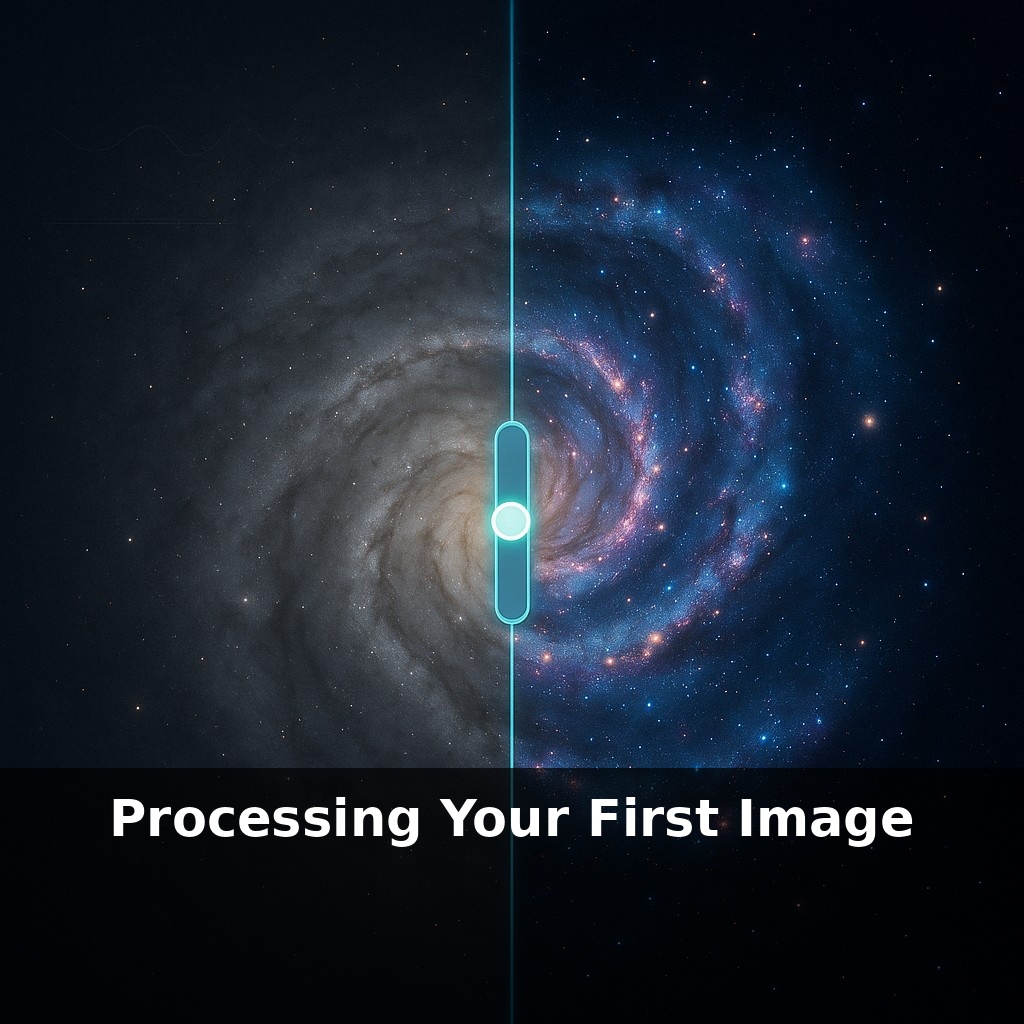
Your first astrophoto probably already holds more detail than you can see. Right now, it looks dull and gray; with the right processing, faint arms of a galaxy or structure in a nebula can suddenly appear. The paradox is: you’re not adding data—you’re finally revealing it.
Astronomers don’t just process images— they process *evidence*. Every slider you touch is a choice about what’s real signal and what’s disposable junk. That’s where most beginners get stuck: not with the tools themselves, but with deciding *how far* to push them before the scene stops feeling honest. This episode is about making those choices in a controlled, testable way instead of guessing.
We’ll walk through your first full workflow using actual numbers: how many frames to stack before it really matters, how to read a histogram so you’re not blindly “eyeballing it,” and when noise reduction starts to smear stars into mush. Think of it like learning to drive a new car at night—headlights, dashboard, and mirrors all tell you something different, and you need all three to stay on the road without overcorrecting.
This time, instead of thinking about “the whole workflow,” we’re going to zoom in on what it *feels* like to process a single image from start to finish. You’ll move from a flat, uninspiring RAW to something you’d actually want to show another human—without losing track of what’s authentic in the data. We’ll treat your software interface like a control panel: every button either helps your signal stand out or buries it. The goal isn’t perfection; it’s to make one clean, repeatable pass that you can critique, refine, and eventually automate for future targets.
Let’s start where your camera actually leaves you: with a folder full of RAW files that all look disappointingly similar. The temptation is to grab a dramatic preset or crank a contrast slider until the sky “pops.” Resist that. The first pass is about *trusting the data* more than your taste.
Open one RAW frame and turn off anything “smart”: disable auto-contrast, auto-tone, heavy sharpening. Your job is to see the file *as captured*, not as your software thinks it should look. Zoom into a star field at 100%. Take a slow tour: notice how the stars look (round? smeared?), how the noise behaves in the darkest patches, whether there’s a faint brightening toward the center from vignetting. You’re not fixing anything yet—you’re learning what problems you actually have.
Now, bring the whole set into your stacking software and do a ruthless quality pass. Reject frames with trailed stars, passing clouds, or obvious bumps in tracking. Ten clean subs will beat thirty messy ones. This is also where you attach your calibration data: darks, flats, and biases. Think of this as correcting your “instrument” before you judge the performance; a good master flat can quietly erase gradients that would later tempt you into ugly over-processing.
Once the stack is ready, you’ll usually get a linear-looking result that appears dull. Before stretching, set a neutral white point using something you *know* should be roughly colorless: a G-type star, or a patch of background sky away from gradients. Then, ease into your first stretch in two or three small steps rather than one huge move. After each step, stop and ask: did I reveal new structure, or just inflate noise?
This is where beginners often overshoot. Instead, work in gentle, alternating moves: a bit of stretch, then a tiny contrast tweak; a mild color adjustment, then a check on star shapes. Professional imagers treat this like tuning a racing bike: each adjustment is small, but the sequence is deliberate, and they keep riding between tweaks to see what actually changed. Use that mindset, and your first processed image becomes less of a guessing game and more of a controlled experiment.
Think of your image stack like a software project under version control: each processing move is a commit you should be able to “diff” and, if needed, roll back. Do a stretch? Save a version. Adjust color balance? New version. That way, when the background turns blotchy or stars blow out, you can compare “before” and “after” and see exactly which step went too far, instead of guessing in the dark.
Concrete targets help. On a nebula, watch three things: the faintest filaments, the brightest core, and the dim background between stars. Each adjustment should improve *at least* one of these without wrecking the others. For a galaxy, track the core, the spiral arms, and the space just outside them. Force yourself to zoom in and out: details at 200% can trick you into fixing problems that vanish at normal viewing, while missing big gradients that only appear when you see the whole frame.
Finally, try “A/B testing” tools that do similar jobs—different noise reducers, different contrast methods. You’re training your eye to notice subtle tradeoffs, not chasing perfection in one go.
Soon, beginners may skip half the fiddling you’re doing now. On-camera stacking and AI-guided tools will quietly suggest which subs to toss, where gradients hide, and which regions deserve careful stretching. Processing could feel less like wrestling sliders and more like curating: you’ll choose between versions, not invent each step. The upside: more time learning *why* an image works, less time fighting software. Your eye stays in charge; the algorithms just move the heavy crates.
Your first processed image is less a masterpiece than a baseline. From here, you can revisit the same target under darker skies, longer integration, or with better calibration and *compare*—like upgrading from a sketch to a blueprint to a finished building. Your challenge this week: reprocess one dataset twice, change only one step, and see which version your eyes trust more.