Most office workers get well over a hundred emails a day—yet feel they barely touched what actually matters. You clear an inbox, race through meetings, collapse at night… and still think, “Did I move anything important forward?” That quiet doubt is where today’s episode begins.
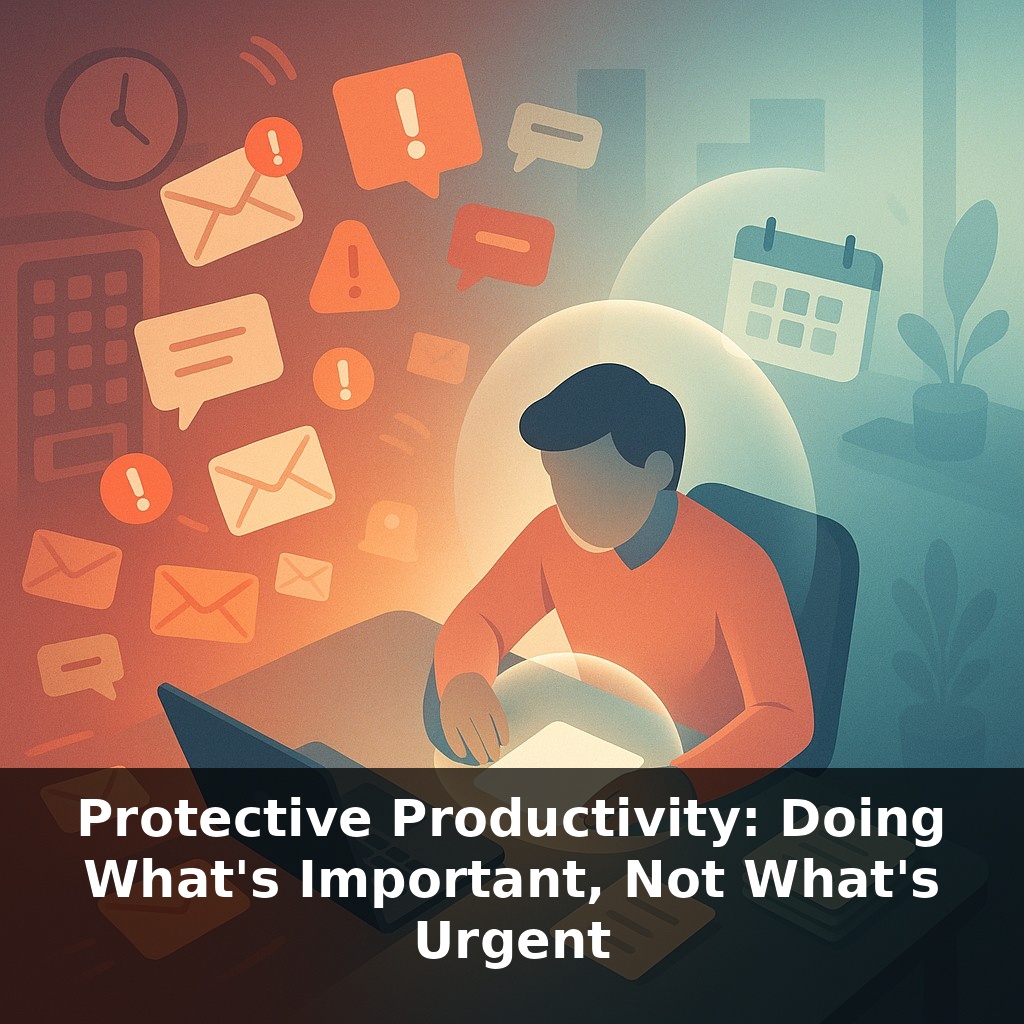
Some days, work feels like standing in front of a vending machine that spits out new requests faster than you can press the buttons. You handle the flashing, noisy items first, then realize the one thing that would actually sustain you is still sitting unchosen. That gap—between what screams for your attention and what quietly shapes your future—is the territory of protective productivity.
This isn’t about squeezing more tasks into an already packed day. It’s about building a kind of “firewall” around your best thinking time so urgent noise doesn’t overwrite your long-term priorities. Instead of asking, “How do I get everything done?” protective productivity asks, “What deserves my *best* energy—and how do I defend it?”
In this episode, we’ll get practical: how to spot high‑leverage work, how to protect it on your calendar, and how to do this even when your job feels like one long emergency.
Protective productivity becomes crucial when you realize most “urgent” work is actually other people’s priorities arriving on your screen. Pings, pings, pings—each one claims to be critical, few truly are. What usually gets sacrificed isn’t the low‑value admin; it’s the quiet, strategic work that requires uninterrupted attention. Research backs this up: frequent task‑switching can slash your effective productivity by up to 40%, and that cost compounds across a full week. No wonder high performers report that when they deliberately carve out even 20% of their time for deep work, their satisfaction and sense of progress jump dramatically.
Protective productivity starts with a blunt truth: your brain cannot internally sort chaos at the same speed the world can generate it. If you rely on “I’ll just know what matters in the moment,” you’ll repeatedly default to whatever is loudest, closest, or easiest. So instead of trusting feelings, you need external systems that do the sorting *for* you.
One simple move: separate **deciding** from **doing**. Most of us mix them—open inbox, read, think, choose, respond, repeat. A more protective pattern is to schedule short “decision blocks” where you process inputs and assign them to buckets *without* doing most of the work right then. For example:
- Do now: truly time‑critical, small tasks - Schedule: important work with a clear time block - Delegate: someone else can own this - Drop: no meaningful impact
This alone prevents whole mornings from disappearing into reactive loops.
Frameworks help when everything feels equally justified. The Eisenhower Matrix is useful *only* if you’re honest about what “important” means in your role. A productive question: “If I did *only* this today, would the week still be a net win?” Tasks that consistently pass that test belong in your “important, not urgent” quadrant—and on your calendar.
That’s where time‑boxing comes in. Instead of a vague intention like “work on strategy,” you allocate, say, 90 minutes, Tuesday 9:00–10:30, labeled with a concrete outcome: “Draft first 2 pages of Q3 plan.” The box is a commitment device: you’ve pre‑decided that, barring real emergencies, this block beats new requests that show up that hour.
At a team or company level, OKRs extend this logic. They turn “work on what matters” into “work on the few, named outcomes we’ve already agreed matter most this quarter.” When you can point to a key result and say, “This task moves *that* number,” it becomes much easier to say no—or “not now”—to misaligned urgencies.
Budgets aren’t just for money; you can set one for urgency. For instance, you might cap yourself at two ad‑hoc “drop everything” interruptions per day. After that, new “emergencies” get scheduled, not absorbed. Constraints like this feel rigid at first, but they create the stable conditions where your most valuable work can actually happen.
Your calendar is often the most honest reflection of your priorities—and the easiest place to start protecting them. Look at a recent week: how many hours were explicitly reserved for work that actually advances a big objective, versus slots that were left blank and silently filled by last‑minute requests?
Think in terms of “impact blocks.” A product manager might reserve two 90‑minute blocks to explore user feedback and sketch experiments before the roadmap meeting, instead of stepping into that meeting having only reacted to bug reports. A team lead could block time to write a clear decision memo so her team stops relitigating the same issue in every stand‑up.
It helps to assign a “return on time” label to tasks, almost like an investor rating opportunities: low, medium, or high yield. For instance, documenting a process once so others can self‑serve is usually higher yield than answering the same question five different times in chat. When you start seeing tasks through this lens, you naturally begin shielding the ones with compounding returns.
Protective productivity quietly reshapes careers. As AI agents triage basic requests, your edge becomes judgment: which problems deserve your limited attention? Think of your calendar like an investment portfolio—some slots go to safe “bills,” but more should fund long‑term “assets” like systems, relationships, and learning. Teams that normalize asking, “What can we stop doing?” create space for experiments, cross‑functional projects, and recovery—key ingredients for staying employable in volatile markets.
Protective productivity isn’t about perfection; it’s about tilting the odds in favor of the work that actually changes things. Start noticing where tiny, deliberate choices—closing one extra tab, saying “after 2 p.m.” instead of “sure”—slightly rebalance your day. Those micro‑shifts stack, like compounding interest, into a career that feels designed, not drifted.
To go deeper, here are 3 next steps:
1. Block a 90-minute “protective productivity” session on your calendar for tomorrow and use the free online tool Motion or Sunsama to automatically timebox 1–2 non-urgent, important tasks you’ve been postponing (like strategy work, relationship-building emails, or skill-building). 2. Print or download the Eisenhower Matrix template from Todoist’s blog or Notion’s template gallery and re-sort today’s to-do list into the four quadrants, then immediately delete or delegate at least two “urgent but not important” tasks. 3. Queue up one focused-learning resource that reinforces this mindset—either read the chapter on “First Things First” from Stephen Covey’s The 7 Habits of Highly Effective People or watch Ali Abdaal’s YouTube video on “productive procrastination”—and take one protective step (like turning off phone notifications for 24 hours) while you consume it.