Your brain can only juggle about four things at once, yet your job quietly expects dozens. You’re in a meeting, your boss adds “one more quick thing,” Slack pings, and you suddenly remember that overdue report. Which one survives? And more importantly—what quietly gets dropped?
So most of us do something halfway: we “kind of” capture. A few things make it onto sticky notes, a couple into a notes app, some stay in our heads, and others are buried in email threads or chat history. The result isn’t clarity; it’s a scattered jigsaw puzzle with no picture on the box. Your brain keeps circling, asking, “Did I miss something?”—burning energy you never see as progress.
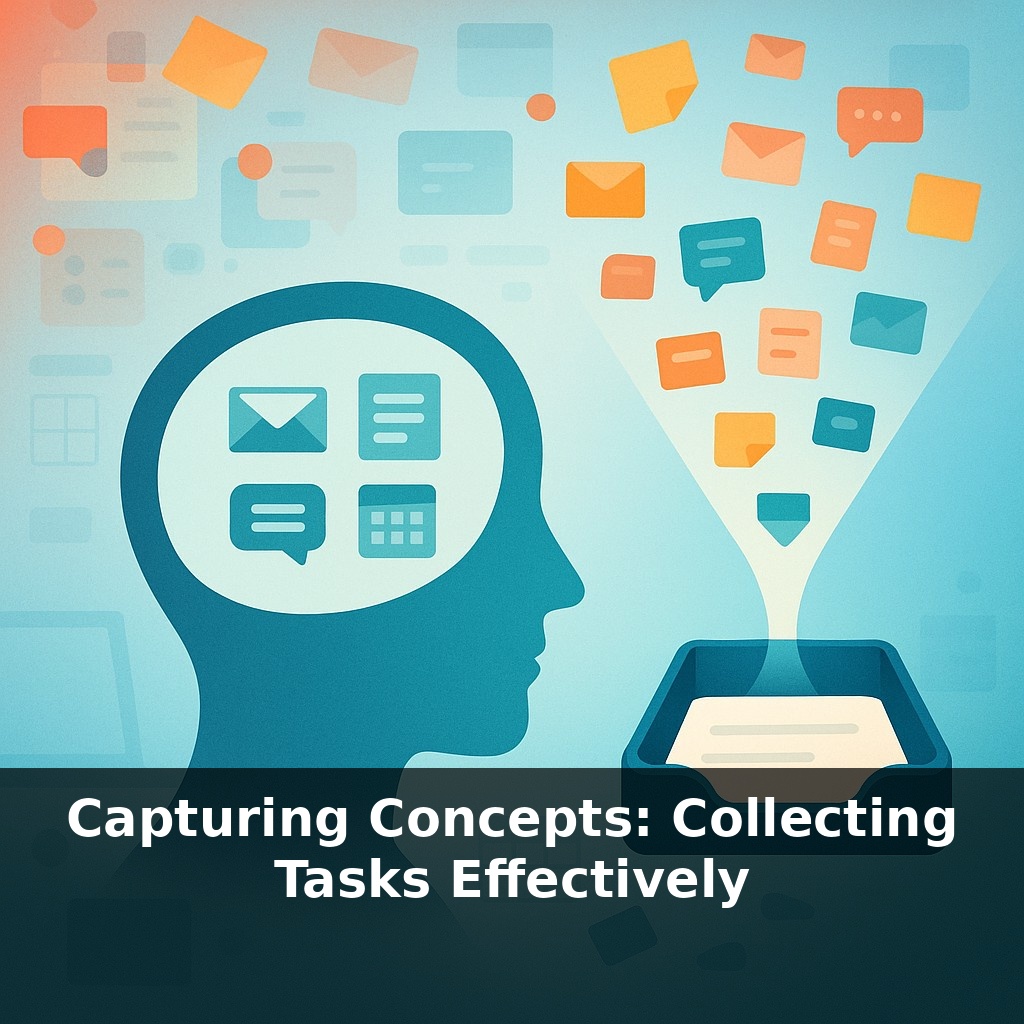
GTD’s capture step is brutally simple: *everything* that has your attention goes into a small number of in-baskets you trust. Not “the important stuff.” Not “what you’ll get to this week.” Everything: half-formed ideas, tiny errands, awkward conversations you’re avoiding, wild career schemes you’re not ready to admit out loud.
This isn’t about becoming a productivity robot. It’s about giving your mind permission to stop rehearsing reminders and start doing real, deep work.
Most people resist full capture because it feels slower and fussier than “just remembering.” But the research points the other way: uncaptured tasks don’t quietly wait their turn—they leak stress into everything else. Cortisol spikes, focus drops, and you end up doom-scrolling or rearranging your desk instead of moving your career forward. The twist is that capture isn’t about being neat; it’s about being honest. Every “someday I should learn SQL,” every “follow up with that mentor,” is a small, silent commitment. Tracking those career-shaping whispers, not just today’s urgencies, is where GTD starts paying real dividends.
Let’s get practical and zoom in on what *effective* capture looks like in a real career, not in a perfect notebook commercial.
First, the non‑obvious rule: your capture tools must be **boringly reliable**, not exciting. That sleek new app you only remember to open twice a week? Useless. The legal pad that lives on your desk, the sticky note on your monitor, the quick-add button in your task app, the voice memo on your phone—those win because they’re there **at the exact second** a thought appears.
Most high performers who actually stick with GTD end up with 3–5 capture points: - one at the computer (notes app, task inbox, or plain text file), - one that travels (pocket notebook or phone app), - one for email (flagged, starred, or a “To Process” folder), - sometimes one verbal (telling your assistant or a teammate, who writes it down).
Notice what’s *not* happening at capture time: no prioritizing, no estimating, no deciding whether it’s “worth it.” The VP who says, “Can you send me that analysis?” gets the same treatment as “Check if the company reimburses online courses”: identical, low-drama capture. Decision-making is a **separate meeting with yourself**, later.
Research backs the payoff. Teams that systematically capture every commitment—meetings, micro-requests, loose ideas—report fewer last‑minute scrambles and more time for deep projects. In one internal survey from Allen Co., just teaching people to funnel requests into a small set of in-baskets cut email backlogs by over a third in a month. Tools like Todoist see something similar: users who actually clear their “Inbox” daily finish far more tasks than those who leave everything scattered.
One subtle but career-critical shift: don’t just capture **tasks**, capture **promises and possibilities**. - “Intro to Alex in data science” after a hallway chat - “Ask manager about presenting at Q3 all-hands” - “Draft outline for industry blog post”
These aren’t fires to fight; they’re doors you might walk through. Keeping them visible is how careers quietly accelerate while everyone else is just keeping up.
Lena, a product manager, runs everything through three boring channels: a pocket notebook in meetings, a single “+inbox” email address she CCs when people ask for things, and a quick-capture shortcut on her phone. During a chaotic launch week, her notebook fills with scribbles like “FAQ tweak from support,” “analytics spike question,” “legal wording check.” Nothing gets sorted on the spot; it all just lands. Friday afternoon, she processes the pile and sees a pattern: three separate notes about confused enterprise customers. That cluster becomes a focused project: “Revamp onboarding for enterprise.”
Your examples don’t need to be dramatic. “Ask Priya how she learned public speaking,” “Skim design team’s demo,” or “Note down recurring complaint from sales” are all captures. Over a month, those crumbs become a map of where your role is pulling you. Like laying out every ingredient on the counter before cooking, you start seeing which flavors keep showing up—and which new recipe your career might be ready for next.
As capture tools evolve—from AI that mines your calendar to wearables listening for “I’ll handle that”—the real skill shifts from remembering to **choosing**. You’ll need sharper judgment about what becomes a project, what stays a someday note, and what gets deleted. Think of it as moving from being a “note taker” to a “portfolio manager,” continuously rebalancing tasks, ideas, and promises so your future isn’t run by whatever your tools happened to record.
Treat this as a live experiment, not a new rule to obey. Notice which captures turn into real progress and which just sit there like unopened browser tabs. Over time, you’ll start curating what deserves a slot. Your challenge this week: tweak your capture setup daily, the way you’d tune a playlist, until it fits how you *actually* move through a workday.