About half of hiring managers admit this: they decide whether you “feel” like a strong candidate in the first few seconds of a virtual interview—often before you finish your first answer. So why do most people prepare only their words, and not the screen they show up on?
47 % of candidates say a single tech glitch makes them think less of an employer. That tells you something important: on video, everyone is silently judging everyone’s setup—and that includes you. Yet most people still treat “tech” as a checkbox (Wi‑Fi? on. Camera? on.) instead of a competitive edge.
In this episode, we’ll treat your virtual interview like a small, high‑stakes project with three tracks: production, presence, and preparation. Think of it as upgrading from “join meeting and hope” to a repeatable system you can run every time.
We’ll look at how subtle choices—like where you look, how your voice carries through a laptop mic, and what happens if your connection drops mid‑answer—quietly influence whether you come across as confident, adaptable, and easy to work with on a remote team. And we’ll turn those insights into practices you can test before your next call.
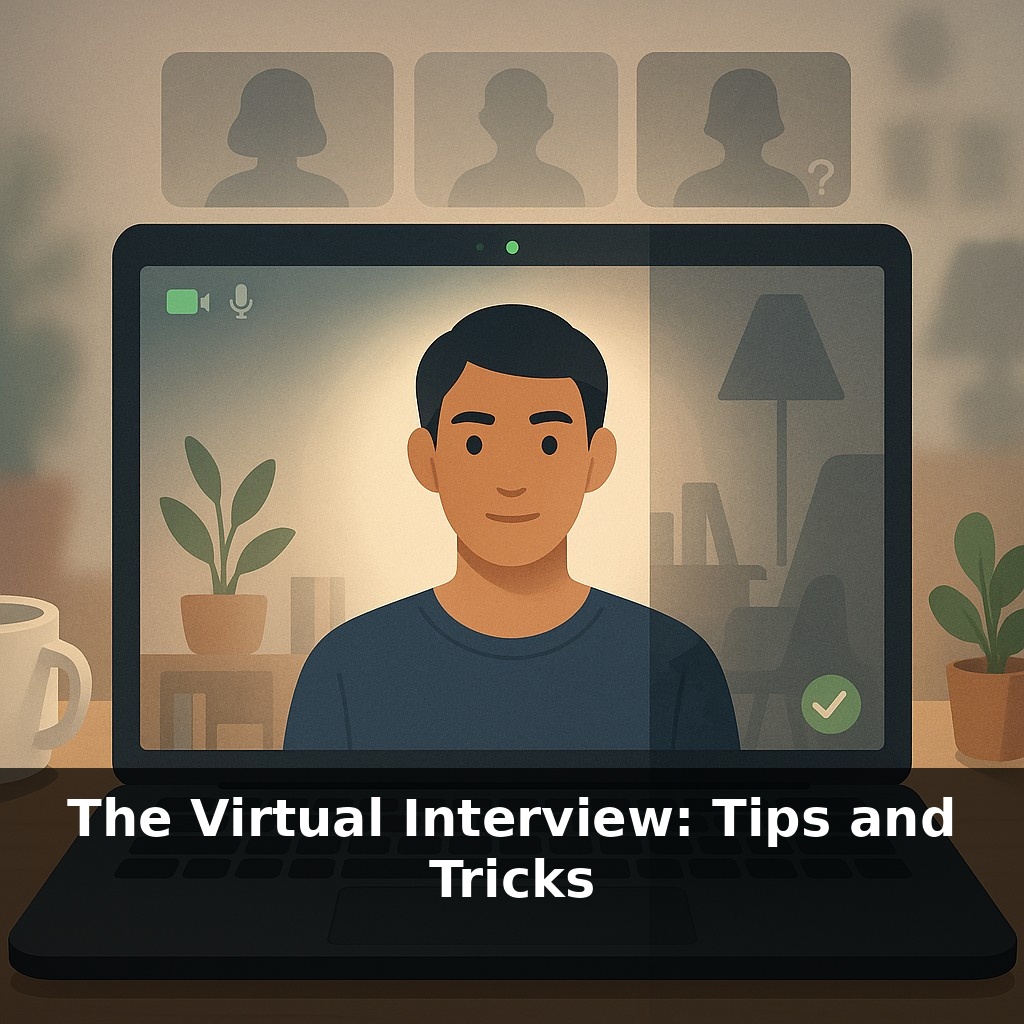
Here’s the twist: in a virtual interview, you’re not just the candidate—you’re also the camera operator, sound engineer, and stage manager. Most people default to whatever their laptop gives them, then wonder why they feel flat or disconnected on screen. In reality, subtle upgrades to your setup can change how “present” you feel from your very first word. In this episode, we’ll zoom in on three impact zones: how clearly they can see you, how easily they can hear you, and how naturally you seem to occupy that small rectangle in front of them. Think of it as tuning an instrument so your skills actually sound like you.
Think about your setup in three passes: what they see, what they hear, and how you “move” in the frame.
First, what they see. Instead of obsessing over expensive gear, focus on clarity and calm. Raise your camera to eye level with a stand or a stack of books so your face is centered and you’re not looking down. Then check your framing: you want your head and upper shoulders visible, with a bit of space above your head. Too close feels intense; too far and your expressions vanish. For lighting, aim for one main, soft light source in front of you—like a window or lamp behind your screen—not behind your head. Record a 30‑second clip and ask, “Would I trust this person with a hard problem?” If the answer isn’t an immediate yes, tweak until it is.
Next, what they hear. Interviewers will forgive slightly grainy video long before they forgive muffled, echoing audio. If you have to choose, prioritize a decent microphone or a quiet, non‑reverberant room over a new webcam. Test different options—built‑in mic, headset, earbuds—and listen to the recordings with headphones. You’re listening for consistent volume, minimal background noise, and no harsh “p” or “s” sounds. Then, practice varying your pace and emphasis. A slight slowdown on key phrases (“the result was…”, “what I learned was…”) makes your stories land, even over a basic laptop mic.
Finally, how you “move” in that box. On screen, tiny adjustments replace grand gestures. Rest your hands lightly on the desk or in your lap to avoid fidgeting. Use smaller, deliberate hand movements that stay within the frame rather than wide swoops that disappear off‑screen. When you speak, shift your gaze between the camera (for key points) and the interviewer’s face on your screen (for listening and reacting). That subtle rhythm keeps you from looking frozen or robotic. Between questions, let your neutral expression be “attentive curiosity” rather than a blank stare—slight nods, brief smiles, and visible note‑taking signals that you’re engaged, not just waiting for your turn to talk.
Think of your virtual setup like a budget smartphone camera in the hands of a skilled photographer: you’re squeezing quality out of constraints, not shopping your way to perfection. For example, one candidate I coached landed offers at a global bank and a Series B startup using only a five‑year‑old laptop plus a desk lamp bounced off a white wall. The difference wasn’t money—it was rehearsal. She recorded three mock calls, noticed she blinked rapidly when stressed, and learned to pause, breathe, and then answer. Another candidate built a simple pre‑call checklist: close noisy apps, silence notifications, plug in the laptop, open the meeting link five minutes early. That tiny ritual kept him calm when one interviewer joined late and another had audio issues; he stayed steady while they scrambled. You can even run “stress drills”: ask a friend to interrupt you mid‑answer with a fake glitch so you practice summarising, resetting, and continuing without losing your train of thought.
A 19% boost in perceived trustworthiness—from lighting alone. As tools like spatial audio and eye‑tracking mature, tiny on‑screen details will matter even more. You may soon walk into a process where eye contact is auto‑corrected, your tone is live‑transcribed, and AI quietly flags moments of hesitation. Think of it like compound interest on your communication habits: small, consistent upgrades now can snowball into an edge later, when “on‑camera fluency” becomes a baseline expectation, not a bonus.
Treat each call as a live, one‑take prototype: after it ends, jot one thing that felt smooth and one that felt clumsy. Over a few interviews, patterns emerge, like tasting a sauce as you adjust seasoning. Reflecting on each call helps bridge the gap between planning and performance, enabling your on‑screen presence to truly represent your capabilities.
To go deeper, here are 3 next steps: 1) Practice your “Tell me about yourself” and “Why this company?” answers on video using a free tool like Loom or Zoom recording, then compare your delivery to examples from the YouTube channels “Linda Raynier” and “Work It Daily” to fine‑tune eye contact, pacing, and energy. 2) Build a distraction‑free virtual setup today by running a free webcam test on webcamtests.com, downloading Krisp.ai (or NVIDIA Broadcast if you have a compatible GPU) to clean up background noise, and grabbing a simple virtual background template from Canva that matches a neutral “home office” look. 3) Prep for platform-specific glitches by creating a one-page “Virtual Interview Backup Plan” in Google Docs that includes: your phone number and email ready to paste into Zoom/Teams chat, a second meeting link created in advance with Google Meet, and a short script you’ll use if audio/video fails (you can borrow phrasing from the sample scripts on The Muse or Indeed Career Guide).