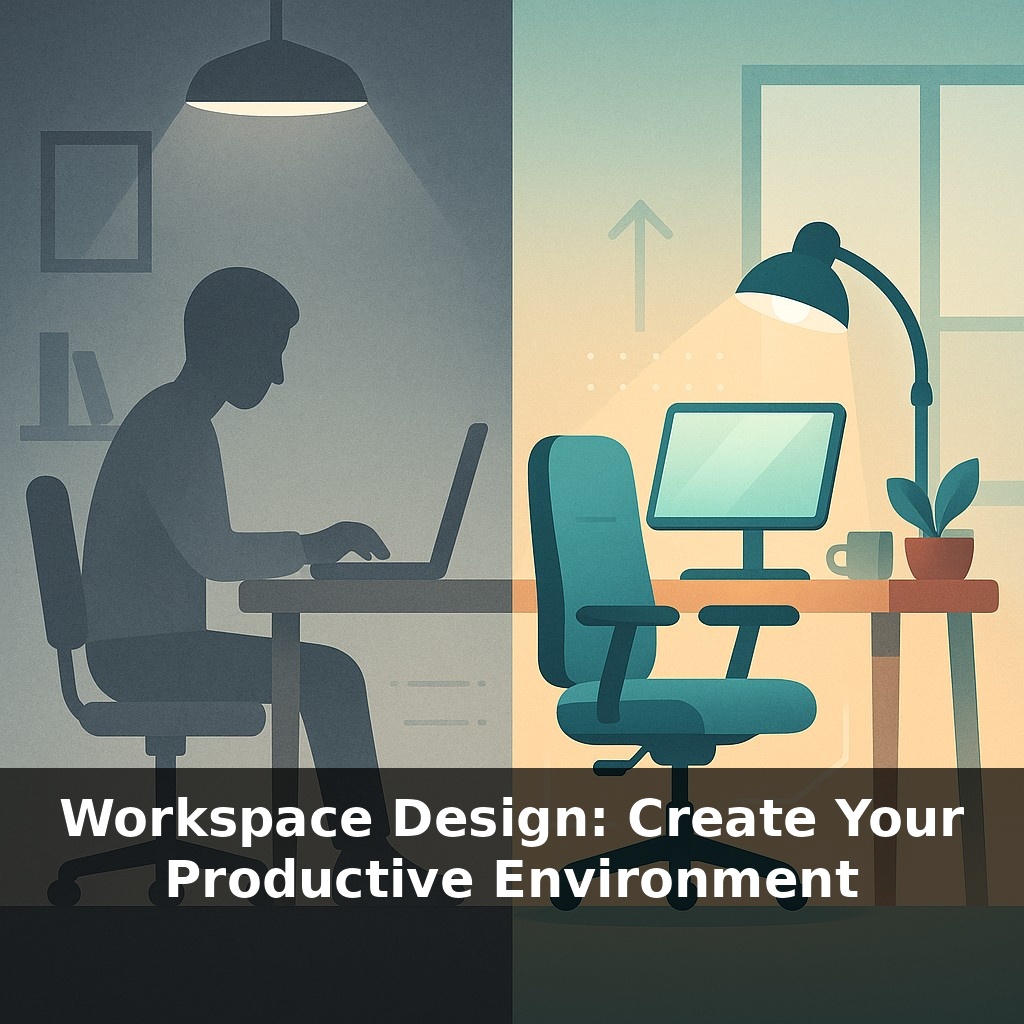
Right now, your chair, screen, and lighting are either quietly boosting your focus or draining it. Research shows a well‑designed home setup can lift accuracy by nearly a fifth. You sit down, open your laptop—and within minutes your back tightens and your eyes burn. That’s fixable.
Most people tweak their workspace by guesswork—raise the chair a bit, slide the laptop, hope it “feels better.” The data is far less casual. In controlled studies, adjusting just three variables—desk height, screen position, and lighting—cut musculoskeletal complaints by over 50 % and bumped task performance by roughly 15–20 %. That’s not a new app or a productivity hack; it’s a one‑time redesign that keeps paying you back every workday.
In this episode, you’ll turn your current setup into a deliberate system. You’ll dial in desk and chair height so your joints stay neutral, set up your screens to reduce neck flexion and eye strain, and use temperature, color, and sound to support deep work. You’ll also create clear zones so your brain stops associating “any flat surface” with work. The goal: a workspace that quietly does 30 % of the discipline for you.
Most people stop after adjusting chair and monitor, but the research goes further. Environmental details you barely notice—temperature, noise level, color, even scent—can swing performance by double‑digit percentages. At 72–77 °F (22–25 °C), error rates drop sharply; dip to 68 °F (20 °C) and mistakes can jump about 44 %. Dual monitors have been shown to raise productivity by 16–32 %, and a few well‑placed plants can measurably improve air quality. In this section, you’ll turn these “background” factors into deliberate levers so your space supports both deep work and recovery, not just basic comfort.
Think of the rest of your setup in three layers: ergonomics beyond the chair, the “invisible climate” (temperature, air, sound, scent), and how objects are arranged to cue specific behaviors.
Start with input devices and micro‑posture. A separate keyboard and mouse (or trackpad) let you keep elbows roughly under shoulders instead of reaching forward. If you type 6 hours a day, even a 2 cm reach adds thousands of small shoulder and wrist loads. Aim to keep wrists floating straight, not resting hard on the desk edge; if needed, add a soft wrist rest no thicker than 1–1.5 cm so it doesn’t force extension. For pointing, many people find a vertical mouse reduces forearm twist; others do better alternating between mouse and trackpad to vary strain. Whatever you choose, if you feel tingling, burning, or sharp pain that lasts more than 24–48 hours, that’s a red flag: change the device, position, or schedule short breaks every 25–30 minutes.
Next, control the environment you can’t see. Since performance drops when temperatures stray from the 72–77 °F (22–25 °C) band, use a cheap digital thermometer and test: if you’re routinely below 70 °F (21 °C), add a small space heater with a thermostat; if you’re above 78 °F (26 °C), introduce a quiet fan and lighter clothing layers. For air quality, a compact HEPA filter rated for at least the cubic footage of your room is a practical baseline; run it on low all day instead of cycling it on high. Add 1–3 hardy plants (snake plant, pothos, spider plant) within a 1–2 m radius of where you breathe most; they won’t replace filtration, but they do add humidity and micro‑rest points for your eyes.
On sound, decide your default mode instead of reacting all day. If your ambient noise regularly spikes above ~55 dB (easy to check with a phone app), build a “focus stack”: noise‑canceling headphones plus one or two sound options that reliably keep you in flow for 60–90 minutes (brown noise, café soundscapes, lyric‑free playlists around 60–80 bpm). Reserve podcasts and lyrical music for low‑stakes tasks to prevent attention fragmentation.
Finally, design your spatial layout to reduce decision fatigue. Create at least two distinct zones, even within a tiny room: a “deep work” zone and a “light work” or admin zone. That can be as simple as: laptop on a stand with external keyboard for deep work, and laptop alone at a different angle on the same table for email and calls. Keep only the tools you use daily within arm’s reach; move everything else at least 1–2 arm’s lengths away. This 50–100 cm separation is enough that you must stand or lean significantly to grab something, which naturally limits impulsive multitasking. Use small containers—one for writing tools, one for tech accessories, one for paper—so that every item has a “home.” The goal isn’t aesthetic minimalism; it’s lowering the number of micro‑choices your brain makes per hour so more bandwidth goes into the work itself.
At Dropbox’s remote‑first transition, one engineer tracked his output before and after a deliberate workspace redesign. By timing a standard code review task for 10 days, he saw reviews per hour jump from 2.3 to 3.0 once he added a second 24" monitor, a compact 60% keyboard, and a small “notes only” area on the left side of his desk. That’s roughly 30 % more throughput without longer hours. Try a similar mini‑experiment: pick one repeatable task, change a single element (like adding a 10 × 15 cm sticky‑note zone or shifting reference material to a tablet), and measure over 5–7 days. Clinicians use controlled changes like this to titrate medication; you’re doing the same with furniture and tools. One writer I coached shaved 18 minutes off a 90‑minute drafting block by moving her printer 3 m away and using a paper tray that holds only 20 pages. Fewer interruptions, fewer “quick checks,” more finished work.
Regulators are treating workspace design less as a perk and more as a health intervention. Expect employers to offer stipends tied to measurable outcomes: e.g., a €300 setup grant unlocked only if you complete a short ergonomics module and upload photos for review. Insurers may reward validated setups with 3–5 % lower premiums. Smart desks and chairs will log posture data; if slouching exceeds 25 % of your day, software could trigger nudges—or even pause notifications until you reset position.
Treat this redesign as an ongoing trial, not a one‑time project. Every 2–4 weeks, adjust one variable—chair angle, plant placement, sound profile—and track a single metric, like time to finish a 1‑hour task or error count. After 90 days, you’ll have 8–12 data points and a setup tailored to how you actually work, not how a catalog thinks you should.
To go deeper, here are 3 next steps: First, pick one “focus zone” in your workspace and rearrange it following Cal Newport’s *Deep Work* principles—clear the surface except for your laptop, a single notebook, and noise-blocking headphones (try the “Deep Focus” playlist on Spotify or Brain.fm for 20 minutes today). Second, upgrade your ergonomics with concrete tools: use the Workrave or Stretchly app to prompt micro-breaks, and adjust your setup using the free Ergotron Workspace Planner so your screen height, chair, and keyboard are dialed in. Third, borrow one idea from “Make Time” by Knapp & Zeratsky—choose a single “Highlight” task for tomorrow, then redesign your space around it tonight (for example, move your phone to another room and install Freedom or Cold Turkey Blocker on your computer before you log off).