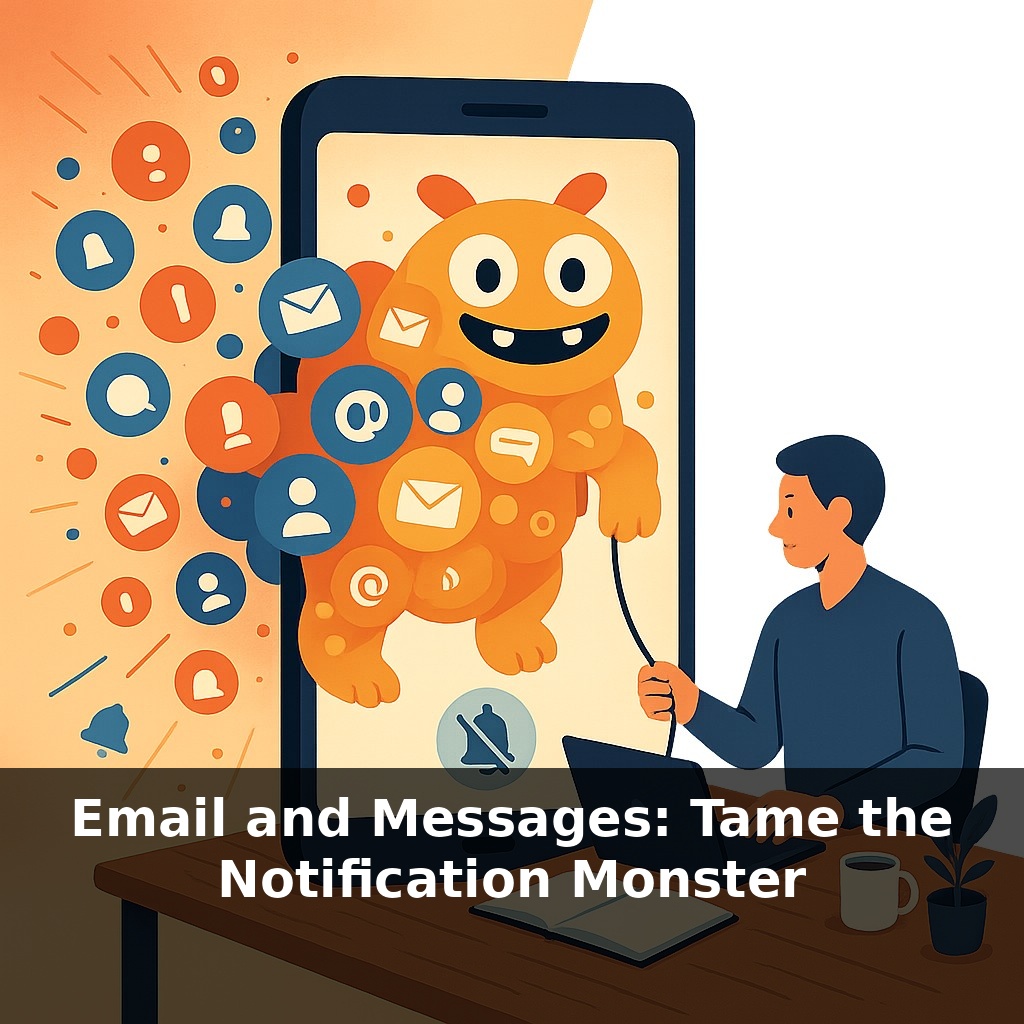
Right now, as you’re listening, there’s a good chance a new email or message just landed—and your brain flinched, even if you didn’t touch your phone. In this episode, we’ll explore a simple question: who’s actually in control here, you or your notifications?
Most people check their phones 58 times a day, and more than half of those glances happen during work. That constant drip of “just one quick look” is exactly how entire afternoons disappear. In this episode, we’re not going to tell you to quit email or mute everything forever. Instead, we’ll treat your inboxes and chat apps like a messy audio mix: some channels should be loud and clear, some should be background, and some should be muted entirely unless you solo them on purpose.
We’ll look at how tools like focus modes, priority inboxes, and notification rules can be tuned around how your brain actually pays attention—so you’re not paying a 23‑minute focus tax every time a bubble appears. We’ll also talk about the social side: how to reset expectations with teammates so “no instant reply” doesn’t feel like “no reply ever.”
Think about how differently your tools behave: email piles up like a slow-moving river, while chat apps hit like sudden waves. Treating them the same guarantees overload. Some messages are like calendar invites—structural, predictable, best handled in blocks. Others, like quick DMs, are more like hallway whispers: useful, but rarely worth derailing deep work. The goal in this episode isn’t to chase “inbox zero” everywhere; it’s to define which channels are allowed to interrupt you, when, and on what terms—then reshape your settings and team norms so the tools match those decisions.
Most people underestimate how much of their day is being auctioned off to alerts. One study of knowledge workers found they opened their phones 30 times during work hours alone—often without remembering a single one of those checks. That’s the invisible cost: you don’t just lose time; you lose the ability to decide what you were going to do with it.
So instead of asking, “Should I turn notifications off?” a better question is, “Which ones have actually *earned* the right to interrupt me?” Critical incidents, direct manager messages, real-time collaboration on a live problem—those deserve a louder channel. Status updates, newsletters, FYIs, and most group chats don’t.
Think of your system in three layers:
1) **Fire alarms** – Extremely rare, truly urgent, and usually tied to clear responsibility. These should be allowed to break through almost anything. For most people, this list is tiny: maybe a specific phone number, an on-call app, or a single escalation channel.
2) **Office hours** – Messages that matter, but almost never on a 5‑minute timescale: project emails, normal Slack threads, routine approvals. These belong in scheduled blocks. Research where email checks were capped at three times a day showed stress plummeted; you don’t have to be that strict, but the principle scales.
3) **Archives and noise** – Promotions, auto-reports, broad announcements. These should arrive silently into filtered folders or muted channels. You pull from them when *you* choose, or not at all.
This is where features like VIP lists, custom sounds, and “high priority only” settings become powerful. You’re not just silencing everything; you’re creating a hierarchy. Maybe your calendar and one team room are allowed to nudge you with a gentle vibration, while everything else is visually quiet unless you’re actively looking.
The last piece is social. Tools encourage speed, but your job is to normalize *appropriateness*. That might mean adding a line to your email signature about typical response times, setting a team norm that @here is for same-day attention and @channel is for genuine emergencies, or agreeing that after a certain hour, only calls count as urgent.
The more explicit you are—both with settings and with people—the less your day is steered by whoever happens to ping you next.
Think of your notification setup like a soundboard in a live show. Right now, most people are running everything through one blaring speaker. Instead, you can give each app its own “channel strip” and decide what gets front-of-house volume versus what stays in the monitors.
For example, a product manager I worked with color‑coded and ranked channels: red = “can interrupt,” amber = “check in blocks,” blue = “only when bored.” Red got distinct tones, amber was visual-only, blue was batched into a single daily review. Within a week, they cut live pings in half without missing anything important.
Another approach: use separate “profiles” for different modes. A designer created three: Workshop, Deep Build, and Admin. Each profile allowed a different set of apps and contacts to surface, plus custom badges on just two icons. Switching profiles became a ritual, like changing instruments between songs, and their calendar blocks finally matched how their phone behaved.
The next wave of tools won’t just mute noise; they’ll decide *when* you’re ready to hear it. On‑device AI is already learning which threads actually move your work forward and which are just “cc‑for‑visibility.” Soon, your inbox may feel more like a playlist than a firehose: dense updates compressed into highlight reels, with only true solos breaking through in real time. As norms and laws evolve, the competitive edge may belong to teams that treat attention like budget—planned, protected, and invested deliberately.
Your challenge this week: treat alerts like a budget. Cap “live checks” to a few set windows, then notice which pings truly mattered and which were impulse clicks. Adjust settings daily. Over time, you’ll start hearing your own priorities again—like turning down backing tracks so the main melody of your work is finally clear enough to play on purpose.